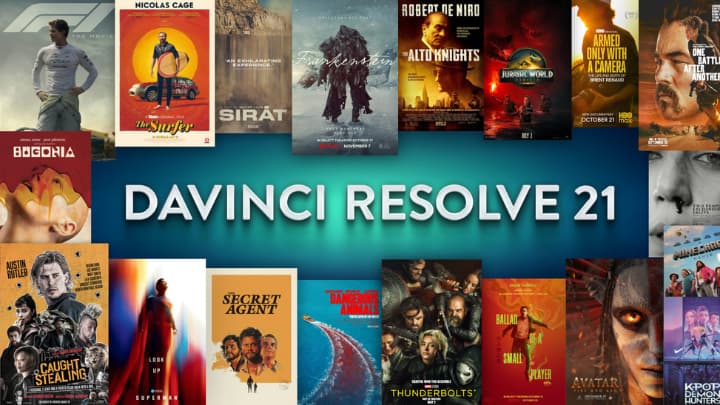
Blackmagic Design has officially released DaVinci Resolve 21, delivering one of the most substantial updates in the software’s history. This major release introduces a groundbreaking new Photo page, an expanded suite of AI-powered tools, enhanced RAW support for stills and video, and hundreds of workflow optimizations across every page. Learn all about the DaVinci Resolve 21 new features.
With deep node-based grading now available for photographs, advanced AI features, and improved collaboration, Resolve 21 strengthens its position as a complete all-in-one post-production and imaging solution for professionals.
The biggest addition: A dedicated Photo Page
The most significant new feature in DaVinci Resolve 21 is the all-new Photo page, which brings Hollywood-grade color tools to still photography.
This dedicated page supports full album management with ratings, favorites, flags, smart collections, and batch tagging. Users can import Lightroom catalogs directly or pull images from Apple Photos on macOS. It offers native RAW decoding for major formats including Canon CR3, Fujifilm RAF, Panasonic Lumix RW2, Nikon NEF, Sony ARW (including compressed files from a7 series), and Apple ProRAW.
Key technical capabilities include:
- Reframing and cropping at full source resolution with non-destructive adjustments
- Node-based grading identical to the Color page — series/parallel nodes, power windows, qualifiers, curves, and custom DCTLs
- Full support for DaVinci Resolve color panels for simultaneous multi-parameter control
- LightBox view for real-time album-wide grade previews
- ResolveFX, OpenFX, LUTs, and Magic Mask AI tools available directly on stills
- GPU-accelerated batch exports and conversions with HDR support for HEIC, JPEG, PNG, and TIFF
Albums integrate seamlessly as timelines in the Edit, Cut, and Color pages, and the entire Photo workflow supports Blackmagic Cloud collaboration for real-time multi-user grading.
This move positions Resolve as a serious alternative for photographers looking for pro-level control without switching between multiple applications.
Expanded AI tools and intelligent features
DaVinci Resolve 21 brings significant advancements in artificial intelligence:
- IntelliSearch: AI-powered natural language and content-aware search that can locate specific objects, people, faces, or spoken words across clips and images.
- CineFocus: Post-capture AI refocusing tool. Click to define a focal point, then adjust virtual aperture, focal range, bokeh shape, and optical effects. Supports keyframing for rack-focus simulations.
- AI Face Age Transformer: Adjusts apparent age by modifying wrinkles, facial fullness, and skin texture while maintaining temporal consistency.
- AI Face Reshaper: Tracks and reshapes facial features (eyes, nose, mouth, jaw) with manual fine-tuning controls.
- AI Blemish Removal: Intelligently reduces acne, spots, pores, and discoloration while preserving natural skin texture.
- AI UltraSharpen: Advanced sharpening for upscaled or slightly soft footage with high-fidelity detail recovery.
- AI Motion Deblur: Removes motion blur artifacts and generates cleaner slow-motion or freeze-frame results.
- AI Slate ID: Automatically reads clapperboard data (even in dark or soft shots) and populates metadata fields.
Additional tools include AI Speech Generator (voice cloning from just 10 seconds of audio) for narration and voiceovers.
Major improvements across all Pages
Beyond the headline features, Blackmagic has delivered hundreds of enhancements:
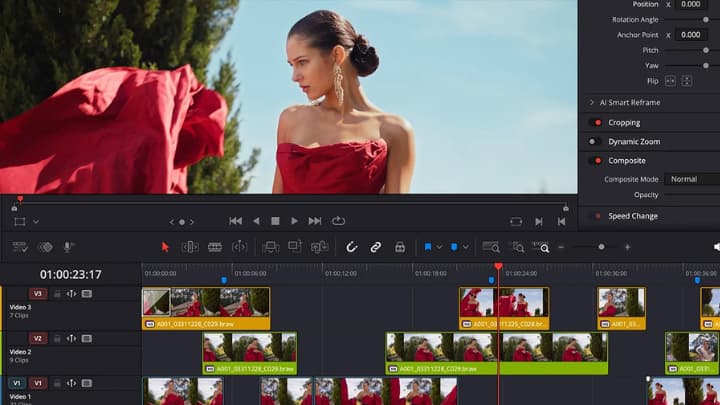
- Edit & Cut Pages: Reworked keyframing with 4-point Bezier easing, loop/ping-pong/relative modes, simultaneous multi-clip keyframing, and subframe precision. New support for native Lottie (.json) animations and OGraf HTML graphics. Smart bins with advanced rule-based filtering.
- Color Page: MultiMaster trim passes for simultaneous HDR/SDR deliverables from one timeline. Node graphs now support layer list view and up to 8-layer node stacks. Grade versions for clip groups.
- Fusion Page: Integration of the powerful Krokodove toolset with over 70 new motion graphics, utility, vector, and 3D templates. Updated macro editor with inspector view and publishing. USD SDK 25.11 with Hydra 2.0 Storm renderer support, including 3D mattes and texture projectors. Audio-driven animation via Fairlight connection.
- Fairlight: Folder tracks for collapsing and organizing complex audio sessions. Improved track navigation and go-to-mouse-pointer functionality.
- Performance & Collaboration: Up to 3x faster Blackmagic Cloud sync, dynamic project switching in multi-user environments, searchable project settings, and background rendering for proxies, exports, and analysis.
- Format Support: Expanded RAW decoding, improved Nikon NEF and Sony Burano V3 handling, HDR image workflows, and enhanced codec support (including AV1 via Intel Quick Sync).
Who should upgrade to DaVinci Resolve 21?
DaVinci Resolve 21 is ideal for:
- Colorists and DPs wanting professional stills grading alongside video
- Hybrid shooters working with both motion and high-resolution photography
- Editors and VFX artists needing faster AI-assisted workflows and better organization
- Post-production facilities focused on collaboration and multi-format deliverables
Download DaVinci Resolve 21
The best part? DaVinci Resolve 21 is available now as a completely free download from the Blackmagic Design website.
For users who need advanced features like 8K+ resolution support, full-res photo exports, advanced noise reduction, and the complete set of AI tools, DaVinci Resolve Studio is available for a one-time purchase of $295.
Head over to the official Blackmagic Design website and download DaVinci Resolve 21 today.