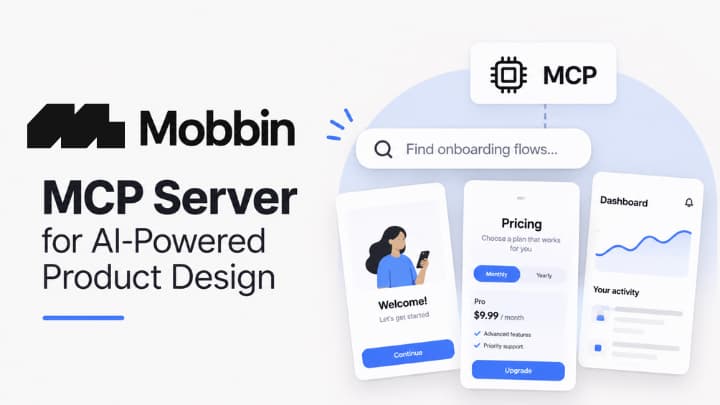
AI can generate interface ideas quickly, but useful product design requires more than a generic prompt. Teams need examples of how real products handle onboarding, navigation, pricing, permissions, dashboards, empty states, settings, and errors. Learn in-depth regarding Mobbin MCP server and how it brings that practical context into AI-assisted work by serving as a searchable reference library of screens from shipped apps.
For designers and developers asking what is MCP, Mobbin provides a clear, product-focused answer. Its MCP connection lets supported AI tools retrieve relevant visual references from Mobbin’s library, so an agent can begin with real interface patterns instead of inventing every decision from scratch.
What is Mobbin?
Mobbin acts as a design reference server for AI agents.
AI agents can propose layouts, write interface code, and critique flows. However, a prompt alone may not communicate the conventions of a specific product category or platform. A finance app, a productivity tool, and a consumer subscription service may each require different approaches to hierarchy, trust signals, navigation, and conversion.
Mobbin helps close that context gap of AI assisted design.
Instead of manually searching for examples, saving screenshots, and explaining each reference to an AI tool, teams can use Mobbin as a design reference server. The goal is not to copy another product. It is to give the designer and the AI agent a stronger basis for comparison before making a decision.
What is Mobbin MCP server and how it works?
MCP connects AI applications with external tools and data sources.
Mobbin’s MCP workflow connects an AI client with Mobbin’s design-reference capabilities. In practical terms, the user asks for a pattern, flow, or screen type. Mobbin searches its collection of shipped product screens and returns relevant references for the AI tool and user to review.
- Connect Mobbin: Add Mobbin through the available MCP setup in a supported AI environment.
- Ask a focused question: Describe the screen, product category, platform, or user goal.
- Retrieve visual references: Mobbin finds examples from real digital products.
- Compare patterns: Review similarities, tradeoffs, content hierarchy, and interaction choices.
- Apply judgment: Adapt useful principles to the product’s users, brand, and technical constraints.
MCP is the connection layer. Mobbin is the specialized service that supplies design-specific context through that connection. In a nutshell, it works as a design reference server.
What AI agents can find through Mobbin
Mobbin describes its library as containing more than 600,000 shipped screens from apps and websites. That scale makes it useful for design research that needs concrete examples rather than broad visual inspiration alone. An agent can help narrow the search, identify recurring patterns, and organize the returned references around a design problem.
AI agents can use these references to explore layouts, onboarding flows, navigation, and other interface patterns.
Mobbin provides real screens from shipped apps for practical design research.
Common research areas
- Onboarding flows: Welcome screens, account creation, permissions, tutorials, and setup steps.
- Navigation patterns: Tab bars, sidebars, menus, search experiences, and information hierarchy.
- Conversion screens: Pricing, paywalls, upgrades, signup prompts, and subscription comparisons.
- Productivity interfaces: Dashboards, tables, filters, calendars, tasks, and empty states.
- Mobile interactions: Bottom sheets, cards, forms, gesture-driven controls, and modal flows.
- System feedback: Loading, error, confirmation, and success states that clarify what happens next.
These references are particularly useful when a team knows the user problem but needs to explore several credible ways to solve it. For example, a team building a new billing flow can ask for patterns from subscription products, then discuss which approaches fit its own pricing model and customer expectations.
Benefits of MCP for Mobbin
For teams asking what is MCP in AI, it is an open protocol that standardizes how AI applications connect to external tools and data. An MCP server can expose capabilities that an AI client can use, including tools, resources, and structured information. The MCP server model is designed to help AI clients access external systems through defined capabilities rather than relying only on model training.
Mobbin applies that model to design research. Rather than treating visual references as files that must be manually gathered and uploaded, Mobbin makes its search capabilities available inside an AI workflow. This can reduce context switching and make design conversations more specific.
For instance, a user might ask an agent to find mobile onboarding flows with three or fewer steps, compare dashboard patterns in productivity products, or identify how apps introduce upgrade prompts. The AI can use the references to frame a discussion, but the human still decides what is appropriate for the product.
Why real screens from shipped apps improve the conversation?
A real screen carries design information that a text-only description may miss. It can show visual hierarchy, spacing, information density, wording, navigation placement, component relationships, and the practical compromises made by a live product team. Those details give designers and AI agents something concrete to evaluate together.
AI agents are becoming more capable of working across tools and multistep tasks, but better capabilities do not eliminate the need for good context. The AI Index report tracks progress in agent performance while also illustrating that real-world task quality remains dependent on the task, environment, and information available to the system. Mobbin contributes the missing design-reference layer for interface work.
How Mobbin supports better design decisions?
Mobbin is most valuable when teams use it as a research and comparison tool. A returned screen is not proof that a pattern will work for every audience. It is evidence that another shipped product used a particular approach, which gives the team a starting point for questions about clarity, friction, discoverability, and trust.
- Use Mobbin before wireframing a new feature to identify established patterns.
- Use it during critique to compare a proposed flow with several real alternatives.
- Use it with AI coding agents to provide visual direction before interface code is written.
- Use it to explore unfamiliar industries without relying entirely on memory or isolated screenshots.
- Use it to make design debates more concrete by discussing examples rather than preferences alone.
Designers should use Mobbin as a reference while applying their own judgment, user research, and testing.
It does not replace a team’s design system, private design files, product analytics, or user research. Each source answers a different question. A private design-file connection helps an AI understand the team’s own components and layouts. Analytics helps reveal what users do. Interviews and usability studies help explain why users behave as they do.
Mobbin adds external, visual product references from shipped apps. MCP provides the standardized route between the AI client and the service. Retrieval-based systems can also provide useful documents, while Mobbin is especially focused on helping users visually find and discuss interface patterns.
Use Mobbin as evidence, not as an automatic specification
Real screens can inspire better questions, but they should not be copied mechanically. A pattern that works in one category may be unsuitable for another. Screens do not reveal every constraint behind a decision, and visual similarity does not prove that an experience is accessible, ethical, or effective for a different audience.
Mobbin is strongest when it supports a broader design process that includes product strategy, accessibility review, prototyping, design critique, and usability testing. The agent can accelerate research and synthesis. The team remains responsible for the final experience.
Frequently Asked Questions
What is MCP?
MCP is a protocol that enables AI applications to connect with external tools and data sources. Mobbin enables an AI client to access design reference search capabilities.
What does Mobbin do as an MCP server?
Mobbin acts as a design reference server. It helps connected AI agents search for real screens and patterns from shipped apps, then use those references in the conversation.
Does Mobbin replace user research?
No. Mobbin provides useful design references, but it does not replace interviews, analytics, accessibility checks, usability testing, or product strategy.
Why Mobbin matters for AI-Assisted product design?
Mobbin gives AI agents access to the visual context that product work often needs. By connecting real screens from shipped apps to supported AI workflows, Mobbin helps teams move beyond generic generation and toward more grounded research, clearer comparisons, and better-informed design exploration.