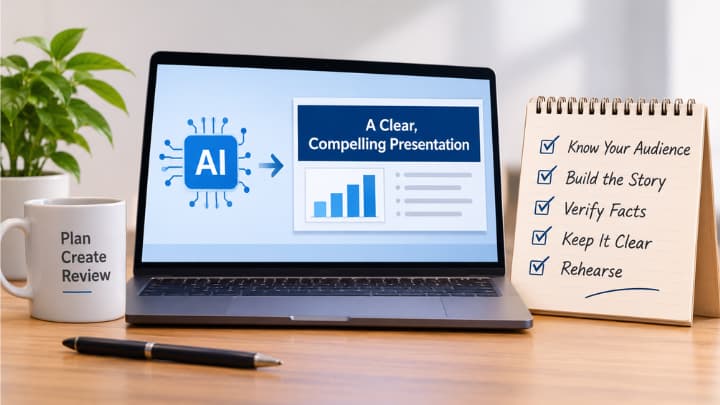
AI can shorten the distance between a blank slide and a workable presentation, but it cannot decide what an audience needs to understand or do. An AI PowerPoint generator can help organize ideas, suggest layouts, and create an early draft, leaving more time for the decisions that make a presentation credible.
The goal is not to automate every choice. It is to use AI as a planning partner that handles repetitive drafting work while you remain responsible for the message, evidence, design, and delivery.
Why AI presentation workflow is required?
AI can turn rough notes and research into a useful presentation structure. A fast first draft is not a finished deck. When the input is unclear, AI may produce broad titles, repeated ideas, unsupported claims, or a sequence that does not lead to a decision.
Use a five-stage process instead: define the brief, prepare sources, build the outline, design the slides, and review the final file. AI can support each stage, but it cannot replace accountable human judgment.
Start with the audience and decision
A clear audience, purpose, and main message should guide every slide.
Before writing a prompt or choosing a template, identify who will see the deck and what should happen afterward. An executive audience may need a concise recommendation and an explanation of the implications of acting or waiting. A customer may need confidence in a solution. Students may need explanation and examples. A project team may need a shared plan.
Write one sentence that states the presentation’s central point. For example: “The team should adopt the proposed onboarding process because it removes the most common handoff delays.” That sentence gives every later choice a standard. If a slide does not help prove, explain, or act on the message, it may not belong.
Prepare the source material
Clean inputs produce stronger drafts. Remove duplicate notes, old figures, confidential details, and sections that do not serve the presentation. Break long material into labeled sections, then distinguish between confirmed facts, opinions, assumptions, open questions, and proposed actions.
Create a short source brief that lists the audience, purpose, required facts, desired slide count, and any decisions that must be addressed. This gives an AI tool useful constraints instead of asking it to make too many assumptions.
Build the story before the slides
Settle the story before spending time on visual polish. A practical sequence is for AI presentation workflow is:
- Define the problem, opportunity, or question.
- Present the evidence that matters most.
- Explain what the evidence means.
- Compare realistic options or responses.
- End with a recommendation, decision, or next step.
Use message-based titles rather than labels such as “Results” or “Next Steps.” A title like “Customer renewals improved after the support response process changed” tells the audience why the slide matters before they read the detail.
You must review facts, sources, charts, tone, and accessibility before presenting.
Use AI for the first draft
AI is useful for clustering notes, shortening dense copy, proposing sections, and generating several outline options. Ask for an outline first, then review the order and missing context before requesting slides. A clear prompt might say: “Create a 10-slide outline for department leaders. The goal is to support a decision on the proposed process. Use a practical, direct tone. Include the supplied evidence, identify assumptions, and reserve the final slide for a recommendation.”
Request alternatives when the structure feels predictable. For example, ask for one version organized around risks, another around audience questions, and a third around the decision required. The best result is often a revised combination rather than the first generated sequence.
Review facts, sources and claims
A polished slide can still make a weak claim. Trace important statistics to the original report, study, or dataset. Check dates, sample sizes, units, percentages, comparison periods, and whether a chart accurately represents the underlying data. Clearly label estimates, forecasts, illustrative examples, and assumptions.
Keep source details in speaker notes or a separate record so claims can be checked later. Responsible AI use requires human oversight, especially where an output may influence a decision, a principle reflected in discussions of safe AI and human judgment.
Design for clarity and accessibility
Design should make the point easier to find and remember. Keep one main idea per slide, use readable text, and maintain strong contrast between text and background. Do not rely on color alone to communicate meaning. Charts work best when labels, units, and comparisons are immediately clear.
Add alternative text to meaningful images, captions to video, and a logical reading order for slide elements. The University of Illinois recommends checking reading order, descriptive links, contrast, alt text, captions, and built-in accessibility checks when preparing accessible presentation materials.
Protect editability during export
A deck should remain easy to revise after generation. Confirm that text is editable rather than flattened into images, charts remain usable, and speaker notes survive the export. Check fonts, spacing, alignment, media, and transitions after moving the file between tools. Keep the source document, working deck, exported presentation, and final PDF in separate folders with clear version names.
Editable files make it easier to correct, update, and collaborate on a deck.
Rehearse and refine the deck
Practice aloud before declaring the presentation complete. Remove slides that repeat earlier points, prepare a shorter version for limited meeting time, and keep likely-question material in backup slides. Test the deck on the actual screen, platform, or meeting system whenever possible.
The strongest workflow uses AI for speed while keeping judgment with the presenter.
Common mistakes to avoid
- Choosing a visual style before defining the message.
- Putting every detail from a source document onto slides.
- Accepting AI-generated facts without verification.
- Using decorative visuals that do not support the point.
- Leaving accessibility and export checks until the last minute.
- Assuming a professional layout is automatically persuasive.
Final presentation checklist
- Is the audience and desired outcome clear?
- Can the main message be stated in one sentence?
- Does every slide support the story?
- Are important claims and charts accurate?
- Is the deck accessible and still editable?
- Has the presenter rehearsed the timing, transitions, and final ask?
AI can accelerate presentation planning, but quality comes from the choices made before and after generation. A focused, brief, careful evidence review, accessible design, editable files, and thoughtful rehearsal create a deck that is easier to understand and trust.