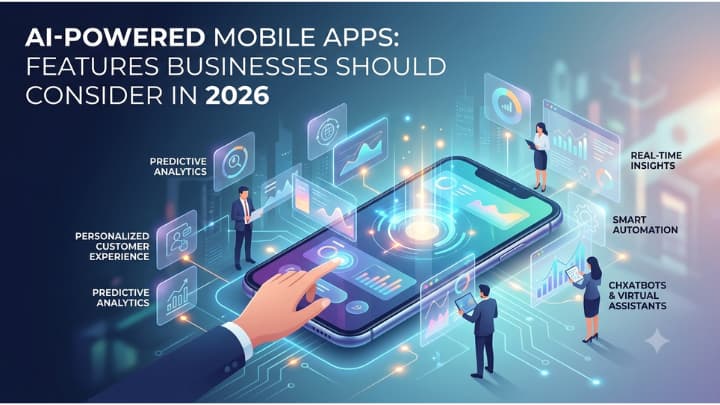
Mobile apps are no longer judged only by speed, design, or feature count. Users now expect apps to give useful suggestions and respond in ways that feel relevant to the moment. That is where AI powered mobile apps are gaining attention.
For businesses, the real question is not whether AI belongs inside a mobile app. The better question is which AI features actually make the app more useful for customers and more valuable for the business. Adding AI just because competitors are doing it can create unnecessary cost, confusing user flows, and features that people barely use. A better approach is to focus on specific problems.
- Where are users getting stuck?
- Which actions take too long?
- What information could be presented faster?
- Which repetitive tasks could happen with less manual effort?
In 2026, businesses planning a new app or upgrading an existing one should think about AI as a practical product capability rather than a standalone selling point.
Personalized user experiences
Personalization has been part of mobile apps for years, but AI can take it much further than basic recommendations based on age, location, or purchase history.
A modern app can study how a person interacts with different screens, what they search for, what they ignore, how often they return, and which actions usually lead to a purchase or another desired outcome. The app can then adjust what it shows.
A retail app, for example, might reorder product categories based on browsing habits. A finance app could surface spending insights that match a user’s actual behavior. A fitness platform may suggest routines based on recent activity rather than asking the user to configure every preference manually.
The goal is simple.
Show people more of what matters to them and less of what does not.
Personalization should still feel controlled. Users may want the ability to reset recommendations, update preferences, or turn certain suggestions off. Giving users that control can prevent personalization from feeling intrusive.
Smarter In-App search
Search is one of the areas where AI can have an immediate effect on user experience. Traditional app search often depends on exact terms. If users type the wrong phrase, misspell a word, or describe what they want in an unexpected way, the results can be poor.
AI-based search can interpret intent instead of relying only on keywords.
Imagine someone searching a shopping app for “comfortable shoes for long office days.” A standard search tool may return anything containing those terms. A smarter system can understand that the user is probably looking for footwear with comfort, support, and work-friendly styling.
The same idea applies to travel, healthcare, education, real estate, media, and business apps. Natural language search can make large amounts of content easier to explore. It can also reduce the number of taps needed to reach a useful result.
That small change can have a big impact on how people feel about an app.
AI chat and conversational support
Chat-based features are becoming common, but adding a chat window is not enough.
A useful in-app assistant should understand what the user is trying to accomplish and help them move forward.
For example, a travel app might help a user compare trips, change booking details, or understand baggage policies. A banking app could explain a charge or guide someone through account settings. A business software app might help users locate reports or complete common actions.
The strongest chat experiences are connected to app data and workflows. A generic chatbot can answer questions. A product-aware assistant can actually help complete tasks.
This is where AI Consulting may be useful for businesses that are unsure which user journeys should include AI and which ones should remain simple. Adding conversational features without a clear purpose can create more friction instead of reducing it.
Keep the assistant focused. It should know what it can do, what it cannot do, and when a user needs a different support path.
Voice based features
Typing is not always the easiest way to interact with a mobile app. Voice features can help people search, enter information, create notes, navigate screens, or complete tasks while their hands are busy. This can be useful in apps related to logistics, field work, home services, fitness, healthcare, and driving.
Think about a technician using a mobile app at a job site. Instead of stopping work to type a long note, the technician could speak naturally and let the app convert the message into structured information.
That saves time. Voice can also support accessibility by giving users another way to interact with the product. The key is context. Voice should not be added everywhere. It works best where speaking is genuinely faster or easier than tapping.
Image recognition and visual search
Mobile devices already have strong cameras, which makes visual AI a natural fit for certain app categories.
Users can take a picture and let the app identify an item, detect an issue, extract information, or suggest a next step. Retail apps can support visual product search. Property apps can identify room features. Insurance apps may help users organize damage photos. Maintenance platforms can support equipment inspections. Food apps can recognize ingredients or menu items.
Visual features are especially useful when users struggle to describe something in words.
Why type a long explanation when a photo can provide the context?
Businesses considering this feature should think carefully about what happens after recognition. Identifying an object is only useful if the app can guide the user toward a meaningful action.
Predictive recommendations
Recommendation systems are not new, but better models can make suggestions more specific to timing and user behavior. An app can learn which products someone tends to buy together, which content they normally consume, or which actions usually happen at a certain point in their journey.
A subscription platform could recommend content based on recent activity. A food ordering app might suggest common repeat orders at the time users usually place them. A business app may surface the next task based on recent activity.
Good recommendations reduce searching. Bad recommendations feel random. The difference comes down to data quality, context, and whether the suggestion is tied to a real user need.
Businesses should start small and measure how people respond. If users ignore a recommendation feature, making it more complex will not automatically fix the problem.
Intelligent notifications
Most people already receive too many mobile notifications. AI can help make them more selective.
Instead of sending every message to every user, an app can decide which updates are likely to matter, when they should be sent, and how frequently each person should receive them.
A shopping app might notify one user about a price drop while another user gets an alert when an item returns to stock. A project management app could highlight tasks likely to miss a deadline. A finance app could flag unusual activity without filling the user’s screen with low-priority messages.
The objective is not to send more notifications. It is to send fewer, better ones. Users should also have clear notification controls. Smart delivery does not replace user choice.
Automated data entry
Forms can be painful on mobile screens. AI can reduce the amount of information users need to type manually by extracting details from documents, images, receipts, messages, or previous entries.
A user could photograph an invoice and have key fields filled automatically. A business traveler might scan a receipt rather than entering every expense by hand. An onboarding app could pull data from uploaded documents.
This feature can cut repetitive work and reduce typing errors. It also changes the way mobile workflows are designed. Instead of asking users to fill every field from scratch, the app can prepare information first and ask the person to review it.
That feels faster and often makes more sense on a phone.
AI-Assisted content creation
Some apps can benefit from helping users create text, images, summaries, descriptions, or drafts. A real estate app might help agents write property descriptions. A sales app could prepare a first draft of a follow-up message. A recruiting platform may help summarize candidate notes. A social tool could suggest caption options based on uploaded content.
This is where Generative AI Development can support product teams that want these capabilities built around specific business rules, user roles, and data sources.
The key word is assist. Users should still be able to edit the output, reject suggestions, or start from scratch. The feature becomes more useful when it saves users from repetitive drafting without taking control away from them.
Smart summaries
Mobile screens are small. Long reports, articles, support threads, or business documents can be difficult to read on the go. AI-generated summaries can make that content easier to scan.
A project management app could summarize a long conversation. A healthcare app might condense appointment notes. A CRM app could give a short overview of recent customer activity before a sales call. Summaries are especially helpful when users need context quickly.
The design matters too. A short summary should lead naturally to the original source. Users may want to confirm details or read deeper, so the app should not hide the underlying information.
Predictive maintenance and issue detection
AI features are not limited to consumer-facing apps. Businesses with field teams, devices, machinery, connected equipment, or operational systems can use mobile apps to spot patterns that may indicate an upcoming problem.
A maintenance app could flag equipment behavior that looks unusual. A fleet app may identify vehicles that need attention based on performance data. A manufacturing tool could notify technicians about conditions associated with previous failures.
This allows employees to act earlier. It can also make mobile apps more useful for workers who need quick decisions away from a desk. The value comes from connecting prediction to action. If the app identifies a potential issue, it should also show what the user can do next.
Fraud and risk detection
Mobile apps used for payments, finance, marketplaces, account access, and transactions often need strong risk controls. AI can help identify behavior that does not match normal patterns.
Examples may include unusual login activity, unexpected payment behavior, suspicious account changes, or abnormal usage patterns. The system can then trigger extra verification or route the activity for review.
One challenge is avoiding too many false alerts. If legitimate customers are constantly blocked, the security feature becomes a usability problem. Businesses need to balance risk controls with a smooth customer experience. That balance is often more important than adding more layers of detection.
Offline or on-device AI
Not every AI feature needs a constant connection to a remote server.
Some tasks can run directly on the user’s device. This can be useful for features such as image classification, speech recognition, text suggestions, basic predictions, or local personalization.
On-device processing can reduce delay and may help apps work better in areas with weak internet access. It can also support use cases where businesses want certain data to remain on the device. The trade-off is that mobile hardware has limits. Product teams need to decide which tasks should happen locally and which should rely on remote computing resources.
Smarter business workflows
Customer-facing features get most of the attention, but AI can also improve internal mobile workflows. Field teams can receive suggested next actions. Managers can get summarized activity reports. Sales staff can see account insights before meetings. Service teams can prioritize requests based on urgency.
This is where mobile app development planning should look beyond screens and buttons.
- What process is the app supporting?
- Where does information come from?
- What happens after a user completes an action?
A well-designed AI feature often depends on the surrounding workflow more than the model itself. If the process is messy, adding AI may simply make the mess harder to see.
Context aware app experiences
A mobile app can use available context to decide what information is most useful at a given moment. That context could include location, time, recent behavior, account status, current task, device state, or previous activity.
A hotel app might show check-in information on arrival day. A delivery app could prioritize route updates while a driver is active. A retail app may surface store-specific inventory when a customer is near a physical location. This kind of context reduces unnecessary navigation.
The app starts to feel more responsive because users do not need to hunt for the next action. Still, context should be handled carefully. Just because data is available does not mean every feature should use it.
Accessibility Features Powered by AI
AI can support mobile accessibility in practical ways. Speech-to-text can help users who have difficulty typing. Text-to-speech can make written information easier to consume. Image descriptions can help people understand visual content. Language simplification may help users process complex text.
Accessibility should not be treated as a side feature. When businesses consider AI functions, they should ask whether those same capabilities can make the app easier to use for more people.
Sometimes the same feature serves several groups at once. Voice input, for example, may help a user with a physical disability, a technician wearing gloves, or someone carrying groceries. Good product design often works that way.
Language translation and multilingual support
Businesses serving users across regions may benefit from real-time translation inside the app. Instead of building completely separate content flows for every language, AI can help translate chats, support responses, product descriptions, user-generated content, or instructions.
This can be useful for marketplaces, travel platforms, social apps, support systems, and global business tools. Machine translation is not perfect, so businesses should decide where human review is still needed.
Legal text, medical instructions, financial information, and other sensitive content may require stricter controls than casual messages. The right setup depends on what the app is doing.