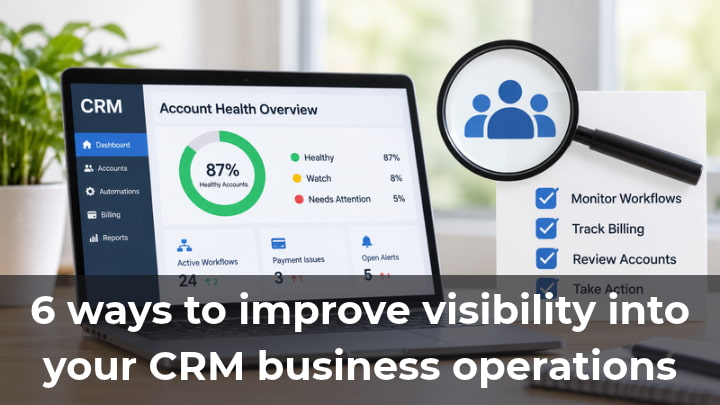
As a CRM agency grows, monitoring all client accounts becomes increasingly challenging. Issues can arise with workflows, payment processing, or key automations. The agency may rely on manual checks to find these issues, but if the team does not proactively check for these issues, they may remain hidden until reported by the client.
Improving visibility within a business means identifying which accounts are in need of service, gaining insight into the unrecognized actions of the business, and streamlining the business processes without losing time to unproductive effort. The following is a list of changes to improve visibility in a CRM agency.
1. Keep track of workflow activity
Automations are routinely used to follow up with leads and schedule appointments. They are also used to notify employees of various activities. If a workflow stops receiving contacts or is no longer reflective of the client’s business processes, it may not be evident to the team why that activity stopped. Workflow automation helps identify processes that require a closer look. For example, if a workflow automation to follow up with a lead becomes inactive, there may be an issue requiring attention.
However, it is also possible that the client has not recently been provided new leads.
Changes to workflows should be considered based on their recent activity, the triggering conditions of the workflow, and the intent of the workflow. It is important to always evaluate automations connected to the client’s business processes first.
2. Make alerts easier to act on
An error alert is only helpful when the team knows what to do with it. However, notifications can create additional work, especially if the notifying system does not provide enough information to address the issue.
Systems should enable users to define processes for managing alerts, assigning them to resolve, and capturing the resolution. One such system is GoHealth. “Health issue detected” alerts can be configured to launch user-defined notification workflows. The goal is to bring the alert to the attention of the right person on your team who can address it rather than alert the team to an issue for which they are unable to take action.
3. Keep billing issues visible
While automation is important to modern business, there are other aspects of business processes that can not be fully automated. For example, if a client’s wallet balance is low or a payment fails, there can be an impact on a client’s access to services. In such cases, it becomes important for account management to have full visibility into the billing process.
Failed payment alerts may initiate a review of the account status to verify if the service has been interrupted. In such cases, it becomes essential for the agency to record the issue so as to track what has been resolved and what still needs attention.
Reviewing account balances and payment problems should be a routine procedure. Implementing this procedure would reduce surprise problems. This would allow account managers to be more proactive.
4. Build dashboards around useful information
A dashboard should help people make decisions, not overwhelm them with numbers. Instead of tracking every available metric, choose information that reflects your agency’s actual responsibilities.
Using your dashboards to identify clients that need the most attention helps account managers focus on the right clients. A well-developed dashboard can also help agency owners and executives identify the most urgent or recurring challenges with the agency’s operations.
Dashboard scores should be representative of overall health and reflect a true picture. Alerts and summary information should guide decisions rather than replace a proper review of the account.
5. Create a regular account audit routine
Agencies should routinely review specific account settings, even though issues may be found between scheduled review periods. Various items may be considered during subaccount audits, including, but not limited to, settings for forms, calendars, pipeline, workflows, and communications. Audit checklists should be tailored to reflect the needs of each specific client.
Using an application health check can help resolve concerns and notify the team to take corrective action. However, since GoHealth is read-only, the team has to handle the issues and help resolve the problem.
While it is important to review health-related alerts on a regular basis and determine if any action is needed, most reports and settings do not require frequent review. Ownership of specific tasks may facilitate a review of certain accounts, settings, and features on a scheduled or regular basis.
6. Improve visibility without adding unnecessary work
It is the responsibility of management to understand the underlying factors that contribute to the agency’s business, and it means having the right information to understand the potential issues and who should respond or solve the particular problem. A Health monitoring app can support this process by making monitored account issues easier to identify. GoHealth by Pennine Technolabs provides a dashboard that integrates health scoring and provides links to issues.
To avoid increasing the workload of account managers, changes should be made to the account configuration. Health monitoring applications can be used to identify the issues to be monitored. GoHealth provides health scores and identifies issues. Through these, account managers can better address clients’ concerns. Prioritizing account management can help solve issues and concerns.