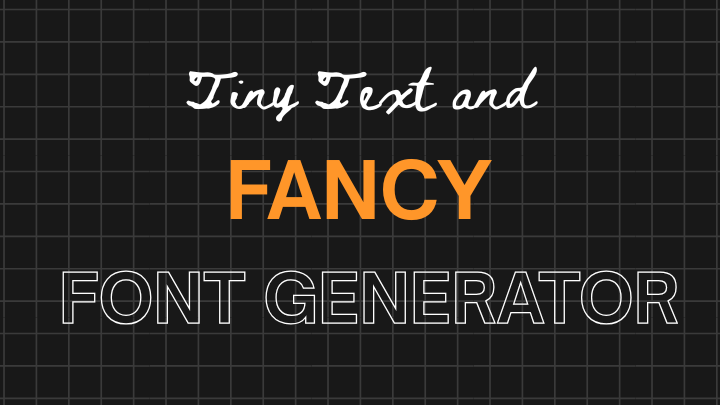
Tiny text and fancy font generator are an easy way to add visual personality to your online writing. These browser-based tools convert ordinary characters into Unicode variants (bold, italic, script etc.). You can copy and paste stylized text into social bios, posts, usernames, headers, and captions.
No design software required. In seconds you can create a distinctive look that helps content stand out in crowded feeds and pages.
What these generators do?
At their core, Random Sentence Generator and fancy fonts generators map standard letters to alternative Unicode characters that resemble different type styles. Because Unicode supports thousands of code points from many writing systems, it includes lookalikes that simulate handwriting, blackletter, bubble shapes, and even tiny superscript letters.
A generator simply replaces each input character with the closest Unicode equivalent for the chosen style, producing visually altered text that works in most apps and browsers.
Popular styles and when to use them
- Tiny (superscript/subscript): Small letters work well as secondary or playful text. Behaves like secondary captions, emoji-adjacent comments, or a quirky bio line. Use sparingly. Very small text can be hard to read on mobile.
- Bold and italic Unicode: Useful when you need emphasis in plain-text fields that don’t accept markup. They give visual weight without HTML.
- Script and cursive: Script font mimic handwriting and add elegance to wedding announcements, lifestyle brands, or beauty-related content. They are decorative, best for short headings or names, not long paragraphs.
- Gothic and blackletter: Dramatic and moody. These suit music, tattoo, or gaming identities. They make strong logos or usernames but can reduce legibility.
- Bubble text: Fun and childish. Great for kids’ content, casual replies, or playful headings.
- Zalgo and combining characters: Create glitchy or horror-style effects by stacking diacritics. Use carefully, these can break layout or be inaccessible.
Why creators like them?
The answer that is obvious is to differentiate. When every post and page look the same, a stylized text is going to be a show-stopper! A fancy Instagram bio font can help with an intentional and curated bio. The little text caption below can help add the personality to a headline. The striking news letter title and the Unicode character displayed with bold will certainly be seen even in a crowded email inbox.
But, these generators aren’t only user friendly, they’re also a lot of cool features. No learning curve, no software to install and there is no design experience needed. Type text, select a style and copy. It will take only some seconds for the completion the entire operation. It’s a real game-changer for bloggers, individual creators and small business owners who don’t have access to professional design tools.
Fancy fonts are good and useful but also mindful of their use and application. Screen readers may not read Unicode characters correctly, leading to potential accessibility issues. From a web optimization point of view, a search engine might not index text formatted in Unicode as it does for normal text – which means that some use of fancy fonts in important website content could affect search engine discoverability.
Limitations and practical cautions
Stylized Unicode is not a direct replacement for fonts or typographic design. Keep these points in mind:
- Some Unicode styles sacrifice legibility. Avoid using them for long-form body text and consider mobile users with small screens.
- Screen readers and assistive technologies may not read transformed characters correctly. Using stylized text for essential content (menu items, instructions, or buttons) can exclude users with visual impairments.
- Unicode text is indexable by search engines, but visually altered characters may not match typical search queries. In practice, decorative Unicode can reduce discoverability if used in important headings or content you want indexed. Keep core, searchable phrases in plain text and use styled text for accents.
- Not every app renders every Unicode character identically. Some characters may display as squares or fallbacks on older devices.
- Some combining characters (e.g., Zalgo) can disrupt rendering or trigger spam filters on forums. Usernames with unusual characters may be blocked by platform policies.
How to use them strategically?
- Reserve stylized text for decorative use: headings, usernames, bios, and calls-to-action that are short and non-essential.
- Keep important content in plain text: product descriptions, article bodies, and navigation labels should remain accessible and searchable.
- Test across devices: preview your text on Android, iOS, and desktop before publishing.
- Combine styles sparingly: one accent per headline is enough. Too many fancy elements becomes noise.
- Provide fallbacks: if you control the markup (on a website), include plain-text alternatives for screen readers in aria-label or visually-hidden spans.
How to chose a good generator?
Not all generators are equal. Look for tools that:
- Offer live previews so you can test styles instantly.
- Provide copy-to-clipboard buttons and mobile-friendly UI.
- Keep ads minimal and avoid requiring downloads.
- Update their Unicode mappings to include newer code points and language support.
- Show sample use cases and warn about accessibility issues.
Trusted examples (starting points)
- Lingojam (text generators): flexible, many styles, quick preview.
- YayText: popular for bold/italic-like conversions and easy copying.
- Unicode Text Converter sites (various): often include bubble, script, and tiny text.
Note: these are examples, not endorsements. Check each tool for privacy and terms before pasting sensitive content.
Conclusion
Last but not least, there are small text generators and fancy font makers showing the newfound attitude towards written content on the Internet. Text is no longer just a means of conveying the information. Whether you’re using a different font, font size, or font style, There will tells a story about your brand, your personality and your message before the first word is read.
As the world grows more and more visual and competitive in digital spaces, there will be an increased need for tools that will do the same for the average user – communicate openly and creatively in style. While this may seem insignificant, tiny text and fancy fonts generators are a small but powerful part of that creative toolkit, and sometimes, the look is as important as the text.